A new admin-controlled setting now allows you to enable or disable copy-and-paste for Text Area and Rich Text fields per program.
Benefits:
- Encourages original, thoughtful responses
- Maintains program fairness
- Reduces plagiarism or repeated content
To enable this configuration:
-
From the Admin Dashboard, select the program where you want to enable this setting.
-
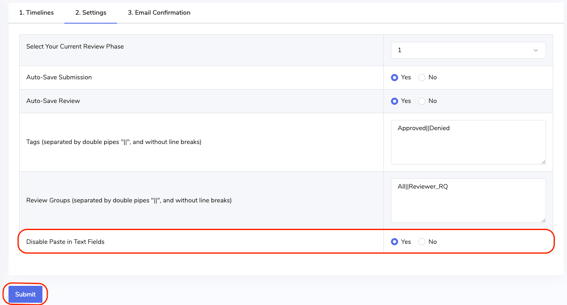
In the left navigation, click Settings, then select 2. Settings.
- Under Disable Paste in Text Fields, choose Yes.
- Click Submit to save your changes.
Submitter Experience:
-
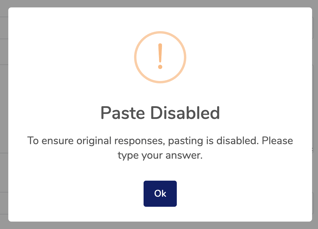
When this setting is enabled, submitters will see a pop-up notification informing them that pasting responses is not allowed. They must type their responses directly into the field.